





 Find US, EU, UK, CA, & AU requirements











Compliance Requirements List

Why do I need a compliance requirements list?
Step one of the process is to identify relevant regulations and directives for your product. Our platform makes it possible to find requirements in a few minutes, not hours.
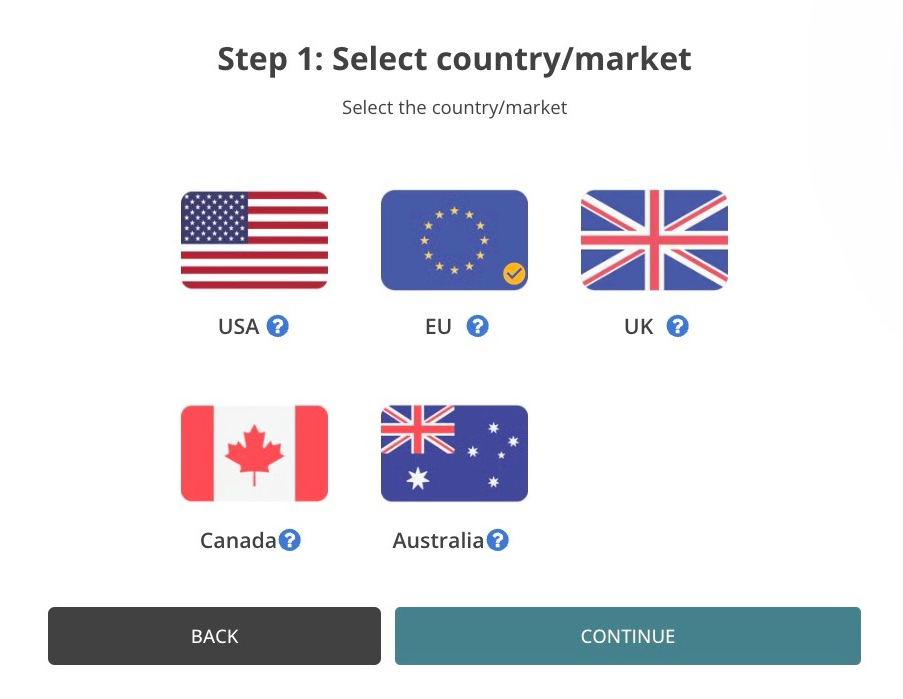
Step 1: Select Country/Market
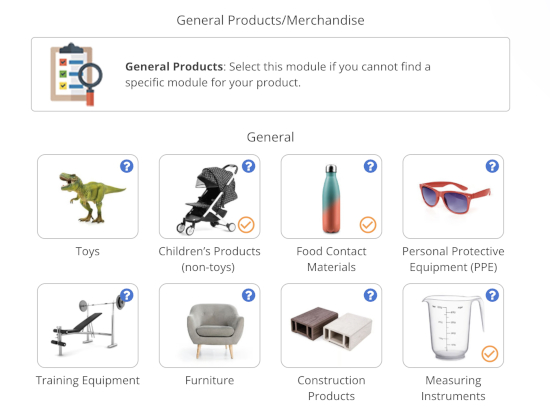
Step 2: Select Product Modules
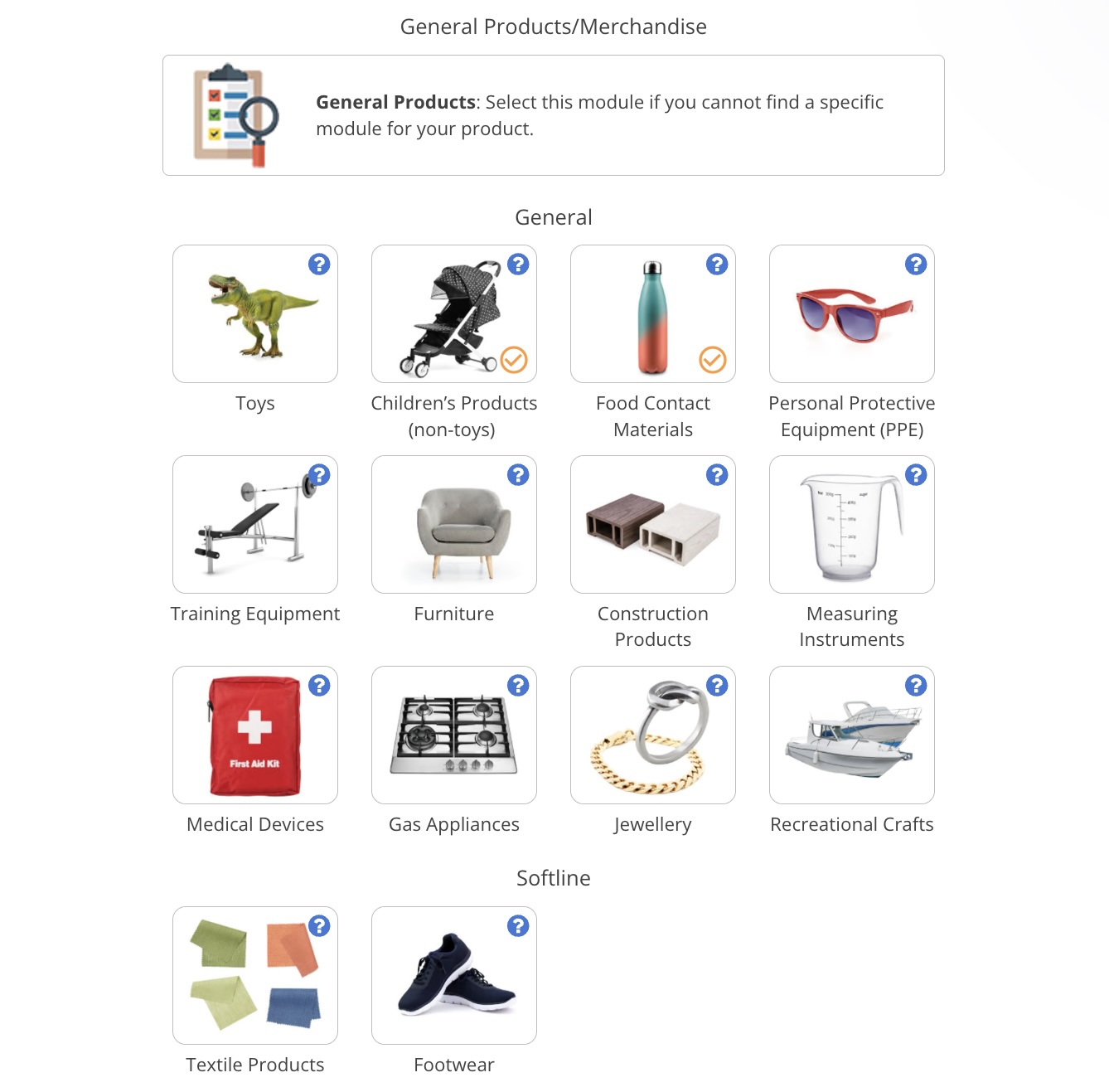
The image above does not show all available product modules
Select all relevant modules for your product
More than one module is often applicable. For example, a battery-powered electronic toy may require that you
select the following modules: Toys, Electronics, Batteries, and Product Packaging.
Can’t find a relevant module?
Select the General Products module if you cannot find a product-specific module.
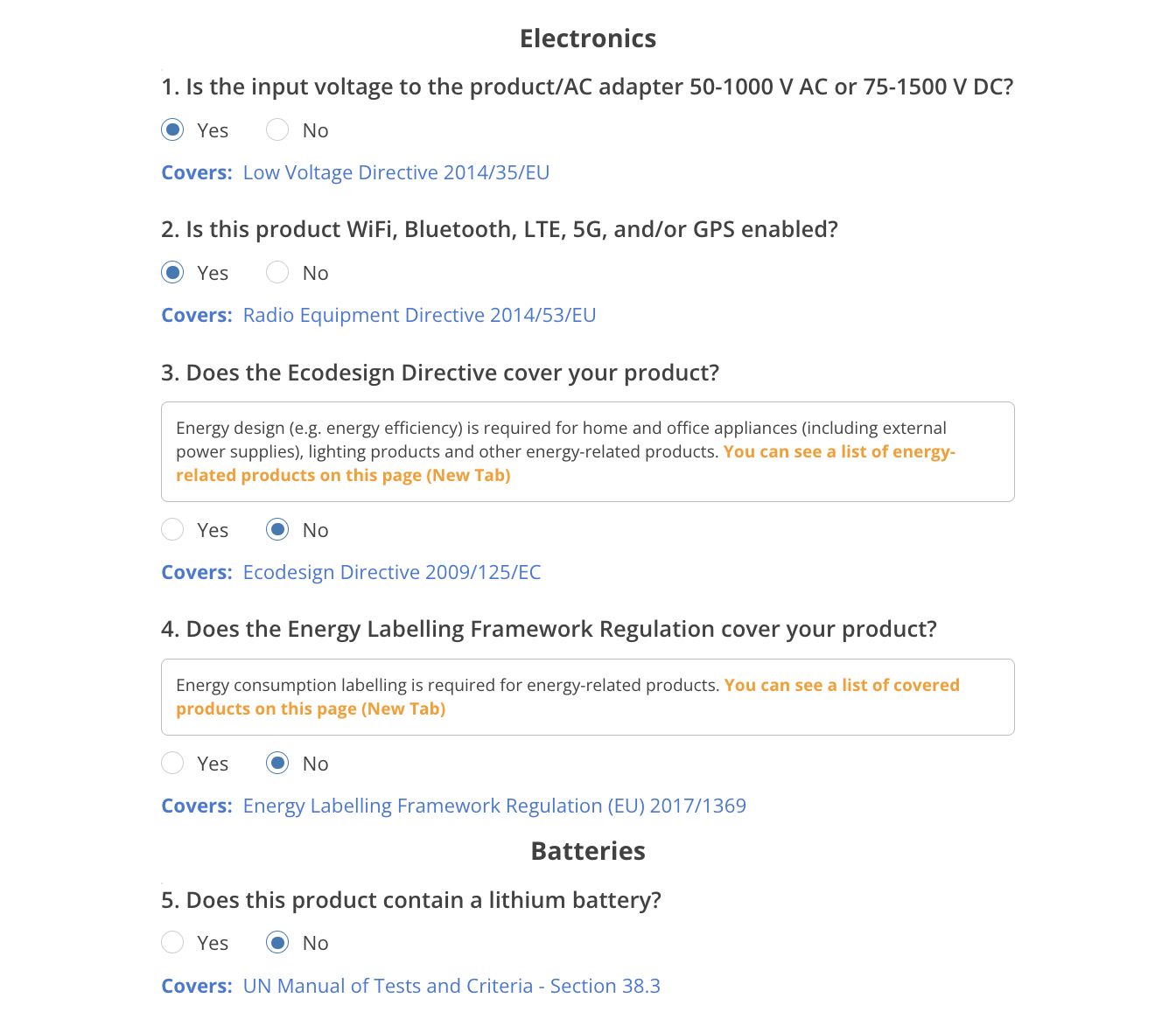
Step 3: Select Specifications (Yes/No)
Step 4: Compliance Requirements List Created
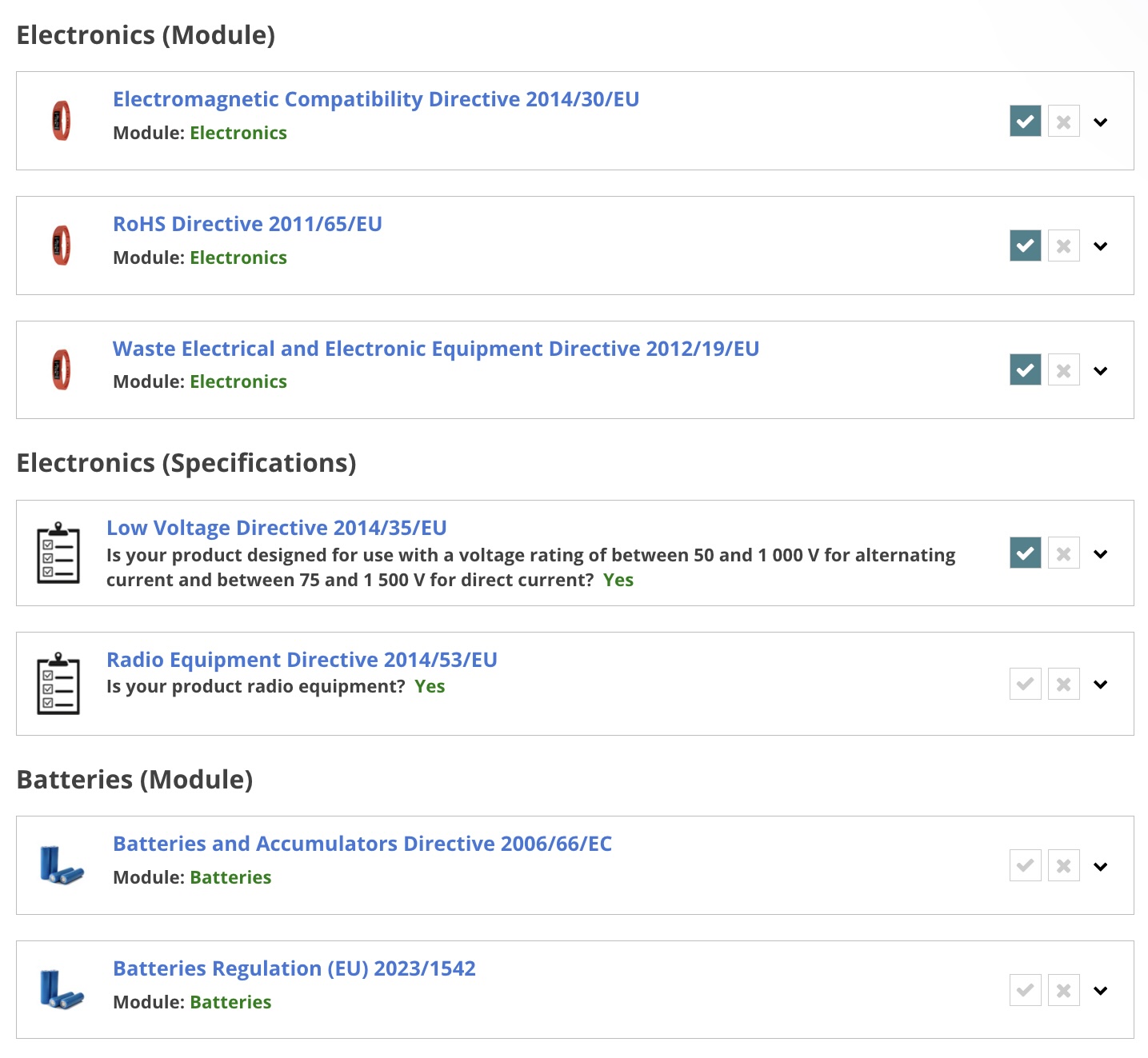

What should I do with a Compliance Requirements List?
By creating a requirements list, you can find relevant product regulations and other requirements. Each CRL entry contains a brief overview of a certain regulation, directive, document, or other compliance topic.
1. It serves as a first introduction to a certain regulation, directive, document, or other compliance requirement.
2. You can access the primary source by clicking on the blue button below the introduction, or follow the links in the source footer.
3. You must ultimately take action based on the requirements in the latest version of the relevant legislation, guidance pages or other sources.
You can find a list of limitations and risks related to Compliance Requirements Lists in this document. 1. Compliance Requirements Lists (CRL) are created based on the following user inputs: 2. By creating a requirements list, you can find relevant product regulations and other requirements. 3. Each Compliance Requirements List (CRL) contains Compliance Requirements List (CRL) entries. Note: The modules and specifications are generally based on the scope defined in the relevant legislation. When this is not the case, we search for guidance documents that provide a scope. However, a regulation or other subject may still apply to products/materials/scenarios that fall outside of what is defined in a particular module or specification. Further, we do not claim that a module or specification covers all regulations or other requirements that belong to the covered subject (i.e., toys or PPE). Note: The LexDatabase contains all regulations, directives, and other compliance requirements that can appear as CRL entries. The Compliance Requirements List database only covers regulations/requirements listed in these documents: 1. Each CRL entry contains an overview of the contents of the covered regulation, directive, document, or other compliance topic. These may, for example, list the following: Note: Most CRL entries contain icons that can help you identify specific areas. For example, articles/parts specific to labelling requirements may have a label icon. Note that the icon is only added based on the title of the relevant article/part. Other articles/parts may also contain such requirements, even if there is no icon indicating this. 2. CRL entries serve the following purposes: 3. A CRL entry does not contain the entire legislation, guidance document or other source. As such, it does not contain all the requirements or details found in the relevant source. 4. CRL entries are provided for general informational purposes only and do not contain legal advice. 1. We take the following steps when writing a CRL entry: 2. We have a standard CRL entry template that can also be adjusted depending on the contents and structure of the relevant regulation, guidance page or other source covered. Note: We generally only list individual articles/regulations/parts/guidance page items for manufacturers, importers, and/or other entities that must actively manage the compliance process. Items relevant to government bodies, third-party service providers (e.g., notified/approved bodies), marketplaces, fulfilment centres, and other entities are generally only listed as chapters. 1. A CRL entry contains an overview of the contents of the covered regulation, directive, document, or other compliance topic. It serves as a first introduction to the covered subject. 2. You can access the relevant source by clicking on the blue button below the introduction, or follow the links in the source footer. Ensure that you select the latest version of the relevant legislation, guidance pages or other sources. 3. You must ultimately take action based on the requirements in the latest version of the relevant legislation, guidance pages or other sources. You should not take action based on the CRL entry alone, as it does not contain the entire source text. 1. Each CRL entry is based on legislation texts and/or official guidance pages/documents. 2. We primarily use data from the following sources: 3. Each CRL entry is based on the source version available at the time of writing (more recent versions of the source may be available). 4. You can find information about the CRL entry versions and, monitored sources in the LexDatabase. You can find a list of limitations and risks related to Compliance Requirements Lists in this document. It can take hours of research to find information about relevant product compliance requirements in legislation databases, such as EUR Lex or the eCFR. This also assumes that you even know where to look for information in the first place. Our platform makes it possible to create Compliance Requirements Lists in a far shorter time frame. The time saving can be immense, especially if you are not already familiar with product compliance requirements. That said, it is important to understand that researching relevant requirements is only the first step in the process. You must ultimately take action based on the latest version of the legislation, guidance page or other source that a CRL entry is based on. Yes, you generally need to create a Compliance Requirements List for each product, as the requirements depend on product specific parameters. Yes, you need to create a unique Compliance Requirements List for each product and market. For example, if you sell the same product in the US and the EU, then you must create two separate Compliance Requirements Lists. Our database is limited to the items listed in these documents: We do not claim to cover all existing regulations that may apply to a certain product, category, or industry. Further, we do not claim to cover all regulations and other compliance requirements that apply to products. No, we do not claim that the modules cover all requirements that may exist for a particular product category. For example, the EU electronics module covers regulations and directives in our database that are specifically relevant to electronic products in the European Union. But, there may still be other regulations and directives that apply to electronics that are not covered by our database. This is also why we state that the product examples provided on the website are examples of product categories and materials the platform covers to some extent. The CRL entries do not contain the entire legislation source text. Hence, they do not cover every requirement, scenario, or piece of information present in the source text. 1. A CRL entry serves as an introduction that provides a general overview (available at the time of writing) relevant to manufacturers or other entities that actively manage the compliance process. While it serves as a first introduction, it is not intended as an exact step-by-step guide for how compliance can be achieved. It would not be possible to write a summary that provides a specific roadmap for every single entity, product, or scenario. 2. A newer version of the legislation, guidance page or other source that the CRL entry is based on may exist. This means that articles, regulations, parts, or other requirements may not be present in the CRL entry. 3. You must ultimately take action based on what is written in the latest version of the relevant legislation, guidance page or other source. We do our best to fact-check the CRL entries, but due to the amount of information and that the sources may be updated after publication, we cannot guarantee that the CRL entries are completely free of error. You must ultimately take action based on what is written in the latest version of the relevant legislation, guidance page or other source. You should create a Compliance Requirements List as early as possible in the product development process. This is because the list can direct you to relevant product regulations, which contain information about safety, labelling, and testing requirements that have a direct impact on the design and functionality of the product. Product standards are sometimes referenced (directly or indirectly) if they are referenced in a regulation, directive, or compliance requirement. That said, we do not have access to standards, and their contents are therefore not included in the CRL entries.Feature Overview
What is a Compliance Requirements List?
Which regulations, directives, and other requirements are covered?
What is a CRL entry?
How do you create CRL entries?
How should we use CRL entries?
Sources and versions
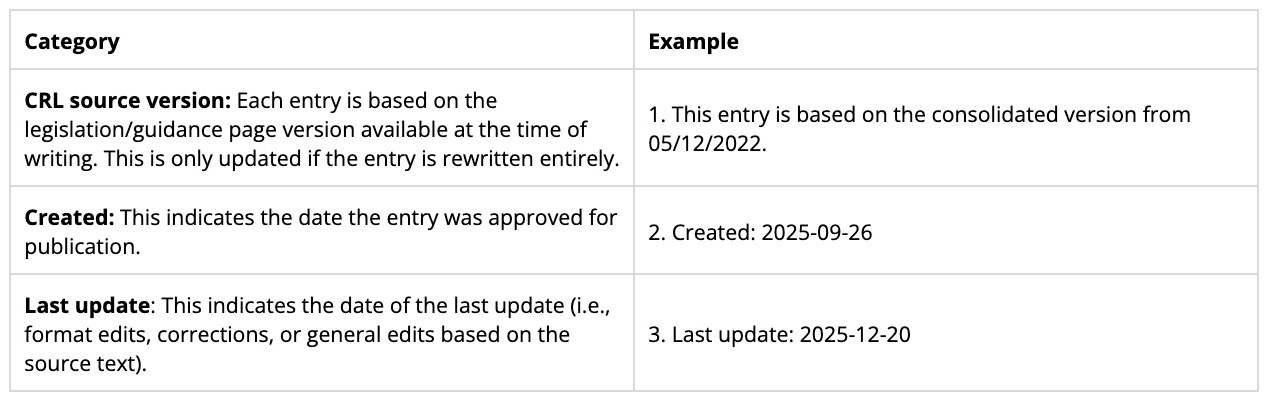
Limitations and risks
How can we benefit from creating a Compliance Requirements List?
Do I need to create a Compliance Requirements List for each product?
Do I need to create a Compliance Requirements List for each country/market?
Do Compliance Requirements Lists cover all requirements applicable to our product?
Do the modules/product examples cover all applicable requirements for that category?
Do CRL entries contain all requirements of the covered regulation/directive?
Can you guarantee that all CRL entries are free of errors?
At what stage should I create a compliance requirements list?
Do the Compliance Requirements Lists include standards?